 DripTick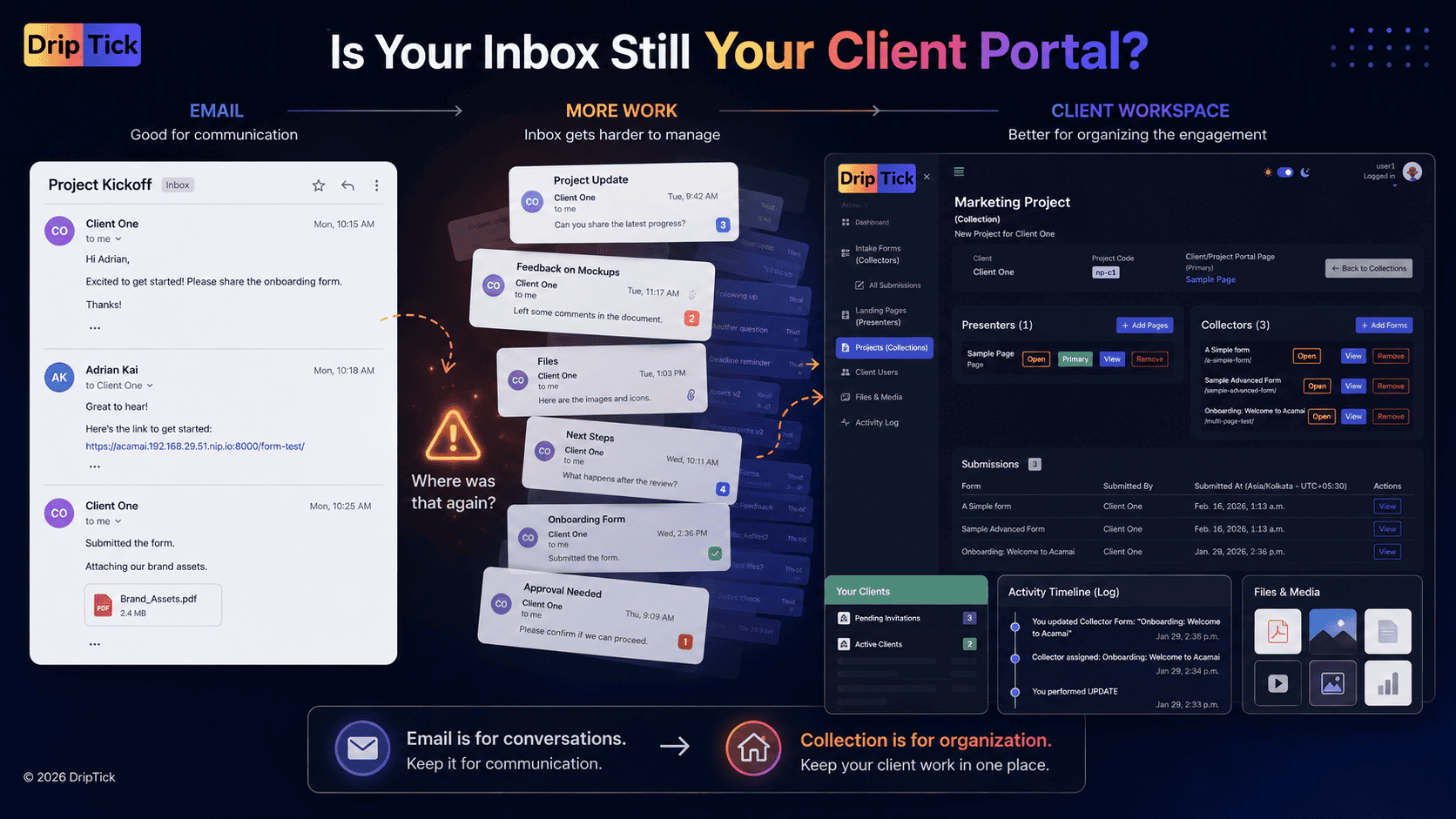
Email is convenient.
Everyone has it.
Nobody needs to download another app just to receive a message.
For a new Professional with two clients, email can feel like the perfect client-management system.
Send the brief.
Receive the files.
Reply to questions.
Send the deliverable.
Get approval.
Done.
Until it isn't.
As the number of clients, projects, files, stakeholders and interactions grows, email starts becoming something it was never designed to be:
a workspace for ongoing client relationships.
The problem isn't that email is bad.
The problem is that important pieces of a project gradually become scattered across:
- email threads
- attachments
- Google Drive links
- messaging apps
- forms
- meeting notes
- spreadsheets
- project-management tools
- different people's inboxes
Then someone asks:
"Where's the latest version?"
Or:
"Did we already send them that form?"
Or:
"What did the client approve?"
Or the classic:
"Can you resend that?"
A client portal can solve some of this—but the answer isn't necessarily to replace email completely.
The better question is:
When should email remain part of the client relationship, and when does client work need a dedicated space?
Email isn't the problem
Before we go any further, let's make one thing clear:
You don't need to stop using email.
Email is still excellent for:
- quick communication
- introductions
- reminders
- notifications
- personal conversations
- sending short updates
- communicating with people who aren't actively working inside a project
The problem starts when email becomes the place where the entire project lives.
That's a very different thing.
A client relationship can use email without being managed by email.
That's the distinction worth making.
The moment email starts becoming your project system
Consider a typical freelance project.
You send:
"Welcome! Here's what happens next."
Then another message:
"Please complete this questionnaire."
Then:
"Can you send your logo?"
Then:
"Here's the first concept."
Then:
"Please send your feedback."
Then:
"Here's the revised version."
Then:
"Just checking whether you've had a chance to review this."
Every individual email makes sense.
But collectively, the project has become a conversation history rather than an organized workspace.
That's where things begin to break down.
7 signs you're outgrowing email for client work
You don't need a client portal simply because someone sells you one.
But there are some pretty clear signals that your current process is becoming difficult to manage.
1. You're constantly resending links
A client asks:
"Can you send me the onboarding form again?"
Then:
"Where's that document you sent last week?"
Then:
"Can you send the project link?"
If you're repeatedly retrieving information from old messages and forwarding it again, your client doesn't have a place for that information.
They have a history of messages containing it.
That's different.
2. Clients keep asking what's happening
You send an update.
The client misses it.
Three days later:
"Any update?"
You search for the previous email.
Then copy and paste the status.
Then another stakeholder asks the same thing.
This is not necessarily a communication problem.
It's often a visibility problem.
The client doesn't have a reliable place to check:
Where are we?
What's completed?
What's next?
3. Files are everywhere
The project has:
- attachments in email
- files in Google Drive
- images in WhatsApp
- documents in Dropbox
- feedback in email
- final files in another folder
Everyone technically has access.
Nobody knows where the source of truth is.
This becomes especially painful when multiple versions exist.
homepage-final.pdfhomepage-final-2.pdfhomepage-final-approved.pdfhomepage-final-approved-v2.pdfYou know how this story ends.
A client portal can give the engagement a dedicated place for the relevant client-facing material instead of forcing everyone to reconstruct the project from its history.
4. Feedback is getting lost
A client replies:
"Looks great. Just change the headline."
Another stakeholder replies later:
"Can we try a different image?"
Someone sends a WhatsApp message:
"Actually, let's keep the old version."
Now you're trying to determine which instruction is current.
Email is conversational.
Projects often need decisions.
Those aren't always the same thing.
When approvals and feedback matter, giving them a structured place can make the process much easier to follow.
5. Multiple stakeholders are involved
Email becomes increasingly difficult when a project has:
- the business owner
- marketing manager
- designer
- developer
- consultant
- finance person
- external stakeholder
Suddenly there isn't one client.
There are several people interacting with the project.
Someone misses a message.
Someone wasn't copied.
Someone replies to an old thread.
Someone sends feedback privately.
The project becomes dependent on everyone maintaining the same mental model of the email conversation.
That's fragile.
6. You're repeatedly explaining the same process
If every new client gets:
Welcome email
Instructions email
Form email
File-upload email
Project-information email
Kickoff email
you're probably doing a lot of repeated communication.
The process exists.
It's just trapped inside your inbox.
A client portal can turn that repeated explanation into something the client can access whenever they need it.
7. Your clients don't know where to go
This is probably the strongest signal.
Ask yourself:
If a client needed to find everything about their project right now, where would I tell them to go?
If the answer is:
"Search your email for..."
you probably have a client-experience problem.
Email vs. client portal
Let's simplify the distinction.
| Client Portal | |
| Conversation | Workspace |
| Messages | Project context |
| Attachments | Organized resources |
| Threads | Structured information |
| Replies | Actions |
| Inbox-driven | Project-driven |
| Easy to start | Easier to organize |
| Good for communication | Good for ongoing client interaction |
Neither is universally better.
They're good at different things.
Email is communication.
A client portal is context.
That's the simplest way I'd explain the difference.
Email tells you:
"Someone sent me something."
A client portal can tell you:
"This is my project, here's where it stands, here's what I need to do, and here's where everything relevant lives."
That context is what becomes increasingly valuable as projects become more complicated.
When email is still the better choice
You shouldn't create a portal for every interaction.
Email is often perfectly appropriate for:
Quick questions
"Can we move tomorrow's call to Thursday?"
Personal communication
"Thanks for the introduction."
Notifications
"Your project has been updated."
Short follow-ups
"Just checking whether you received this."
External communication
Sometimes the person you're communicating with isn't a client or project participant who needs access to a dedicated workspace.
In those situations, adding another login would create more friction than value.
When a client portal starts making sense
A portal becomes more useful when the client relationship involves repeated interactions around the same project.
For example:
- onboarding
- information collection
- file uploads
- project information
- deliverables
- feedback
- approvals
- resources
- updates
- recurring requests
Notice the pattern.
These aren't individual conversations.
They're activities around an ongoing engagement.
That's where a client workspace begins to make sense.
The real threshold isn't the number of clients
You might hear:
"Get a client portal when you have ten clients."
That's not particularly useful.
A professional with two complicated clients may need one more than a professional with twenty tiny projects.
The better question is:
How complicated is the interaction with each client?
Two clients with:
- multiple stakeholders
- recurring work
- forms
- files
- approvals
- regular updates
may create more organizational pressure than twenty clients who each require one email.
So don't measure portal-readiness by client count.
Measure it by client interaction complexity.
A simple way to decide
Ask yourself these five questions.
1. Do clients repeatedly need to provide information?
If yes, structured forms or requests can help.
2. Do clients repeatedly need to access information?
If yes, a dedicated client space becomes useful.
3. Do clients need to know what's happening?
If yes, project visibility can help.
4. Are important files or decisions scattered across communication channels?
If yes, you need better organization.
5. Do you repeatedly explain the same process to every client?
If yes, your process may be ready to become a reusable client experience.
If you answered yes to three or more, it's worth investigating a client portal.
Don't confuse a client portal with project management software
This distinction matters.
Your internal project-management system might contain:
- tasks
- team assignments
- deadlines
- dependencies
- internal notes
- workload
- planning
Your client doesn't necessarily need to see any of that.
They might only need:
- project status
- their next action
- relevant documents
- forms
- deliverables
- resources
- feedback requests
Current client-portal guidance increasingly frames the portal as a client-facing layer sitting alongside internal systems, rather than simply exposing the internal project board to the client.
That's an important distinction.
Your client doesn't need to see how you work
They need to know what they need to know.
Imagine you're building a website.
Internally you might have:
47 tasks3 developers2 designers5 dependencies11 internal notes4 blocked tasks
Your client might simply need:
Website Redesign
Current stage: Design
Completed: Discovery ✓
Next: Review homepage concepts
Client action: Submit feedback
That's enough.
The complexity stays behind the scenes.
The client sees the part of the process relevant to them.
What should live in a client portal?
Think about information according to its relationship to the project.
Client information
Things relevant to the relationship:
- business information
- contact details
- stakeholders
- relevant preferences
Project information
Things that explain the engagement:
- project name
- goals
- scope
- milestones
- important dates
- current stage
Client actions
Things the client needs to do:
- complete a form
- upload assets
- review something
- provide feedback
- approve something
Client resources
Things the client needs to access:
- documents
- guides
- deliverables
- links
- reports
- reference material
Activity
Things that help answer:
"What happened?"
For example:
- onboarding completed
- file submitted
- page updated
- review requested
- approval received
This creates context without exposing your entire internal workflow.
The client portal shouldn't become another inbox
This is one of the biggest mistakes to avoid.
You don't want:
Email inbox
plus
Portal inbox
plus
Slack
plus
Project-management comments
plus
all competing for the client's attention.
That's not consolidation.
That's another layer of fragmentation.
A good portal should have a clear purpose.
If its purpose is:
"This is where your project lives."
then the rest of the experience should reinforce that.
Don't move everything into the portal
This is another common mistake.
The goal isn't:
"We have a portal, therefore every interaction must happen inside it."
That's unnecessary.
Instead, decide what belongs where.
Quick communication and notifications.
Portal
Project context and client-facing interactions.
Internal project tool
Your team's operational work.
Accounting system
Billing and financial records.
Secure password manager
Credentials and sensitive access.
Now each system has a job.
That's much healthier than trying to make one application do everything.
The ideal relationship between email and a client portal
Think of email as the notification layer.
Think of the portal as the destination.
For example:
Your project has a new update
The homepage concept is ready for your review.
View your project →
The email gets the client's attention.
The portal provides the context.
This is a much better experience than putting the entire project inside an endless email thread.
Example: a website project
Let's compare the two experiences - Email-driven workflow, and, Client-space workflow
Email-driven workflow
"Welcome!"
↓
"Please fill this out."
↓
"Please send your logo."
↓
"Here's the first design."
↓
"Can you review?"
↓
"Here's the revised design."
↓
"Please confirm approval."
↓
"Here's the final file."
Everything works.
But the project is essentially a chain of messages.
Client-space workflow
Your Website Project
Welcome
Your project has started.
Next step
Complete your project questionnaire.
Project information
Goals, scope, timeline and important details.
Forms
Website questionnaire Content requirements
Resources
Brand files Project documents
Review
Homepage concept
Activity
Discovery completed Assets received Design submitted
Email can still notify the client about each important event.
But the project itself has somewhere to live.
That's the difference.
What about professionals/freelancers?
Professionals/Freelancers often hesitate to use client portals because they assume portals are designed for large agencies.
That's increasingly not true.
Current 2026 freelancer-focused content is explicitly positioning portals as lightweight alternatives to managing projects through email, Drive and scattered links.
For a freelancer, the portal doesn't need to be complicated.
It might simply contain:
Client
Jane Smith
Project
Brand Identity
Next step
Complete brand questionnaire
Pages
Project overview Brand process
Forms
Brand questionnaire Asset collection
Resources
Reference files
That's already enough to create a significantly more organized experience.
For agencies, the benefit compounds.
Imagine five clients.
Each has:
- a project
- multiple stakeholders
- onboarding information
- assets
- deliverables
- approvals
- recurring updates
Now imagine twenty clients.
At some point, email stops being a communication tool and starts becoming a manual database.
A client portal gives each engagement a place of its own.
That means the agency can standardize the experience without necessarily standardizing the underlying work.
Every client can have:
Their own project space
with the relevant:
- forms
- pages
- resources
- information
- activities
That is a much more scalable model than rebuilding the experience through email every time.
A portal can also make your business look more professional
This isn't merely cosmetic.
The way clients interact with your business becomes part of how they judge the business.
Compare:
"Here's a Google Drive folder. Let me know if you can't find anything."
with:
Your ProjectWelcome to your workspace.
The actual work may be identical.
But the second communicates:
We have a process.
That's especially valuable for:
- agencies
- consultants
- coaches
- designers
- developers
- professional service businesses
Current portal research increasingly treats branding and white-labeling as part of the client experience rather than merely visual customization.
But don't confuse "professional" with "complicated"
A client doesn't care that your portal has 47 features.
They care that:
- it loads
- they understand it
- they can find what they need
- they know what to do
- they don't have to ask you where something is
A beautiful dashboard with twelve menus can be less professional than a simple page with four obvious actions.
Clarity beats complexity.
What about Google Drive?
Google Drive is useful.
For many businesses, it will remain useful.
But a shared folder is not necessarily a client experience.
A folder can answer:
"Where are the files?"
A client workspace can answer:
"What is this project, what do I need to do, and where do I find the things relevant to me?"
You can absolutely use Drive alongside a portal.
The portal can provide the context around the resources.
What about Slack?
Slack is excellent for team communication.
But client communication through Slack can become messy.
A client may:
- miss a message
- join multiple channels
- search old conversations
- receive internal notifications
- communicate with different team members
A client portal provides a more controlled environment around the engagement.
That's particularly useful when the client isn't part of your team's day-to-day internal communication.
You don't necessarily need to eliminate Slack.
You need to decide whether Slack is actually the right client-facing home for the work.
What about WhatsApp?
For many professionals and businesses, WhatsApp is unavoidable.
Clients love it because it's immediate.
But WhatsApp isn't a project workspace.
It's excellent for:
- quick messages
- urgent questions
- informal communication
It's considerably less useful as the permanent record of:
- project scope
- approvals
- deliverables
- forms
- resources
- project information
You can keep WhatsApp for what it's good at without making it the place where the entire project lives.
What about a shared Notion page?
This can work surprisingly well.
A Notion page can provide:
- project information
- resources
- links
- documents
- instructions
- databases
For simple engagements, that's perfectly reasonable.
But as your client workflow becomes more interactive, you may need more than a document-like workspace.
For example:
- structured client forms
- conditional questions
- multi-step information collection
- client-specific project organization
- dedicated client access
- branded experiences
That's where a purpose-built client experience platform starts becoming more interesting.
The real problem is fragmentation
It's tempting to describe the problem as:
"Email is bad."
That's too simplistic.
The actual problem is:
Client work becomes fragmented across systems that weren't designed to work together from the client's perspective.
The form is somewhere.
The project is somewhere else.
The files are somewhere else.
The instructions are in email.
The latest update is in Slack.
The client doesn't care which tool contains which piece.
They care about:
their project.
That is the perspective we should design around.
From scattered tools to one client experience
Here's the transformation we're really talking about.
Before
↓
Form
↓
Google Drive
↓
Project tool
↓
Meeting
↓
↓
Slack
↓
Another email
After
Client Project
↓
Welcome
↓
Information
↓
Forms
↓
Resources
↓
Updates
↓
Next step
The internal tools can remain behind the scenes.
The client experiences one coherent journey.
A practical framework: what belongs in the client space?
Before moving anything into a portal, classify your existing client interactions.
Take your last project and write down everything the client interacted with.
Then put each item into one of four categories.
1. Communication
Does this need a conversation?
Keep email or your preferred communication channel.
2. Information
Does the client need to find this later?
Put it somewhere persistent.
3. Action
Does the client need to do something?
Give them a clear action.
4. Context
Does the client need to understand where this fits into the project?
Put it alongside the relevant project information.
This exercise alone can reveal where your current client experience is fragmented.
Build around the client's journey
Rather than organizing the portal around your internal departments, organize it around what the client needs to accomplish.
For example:
Getting Started
- Welcome
- Project overview
- Onboarding
Provide Information
- Client intake
- Requirements
- Assets
Work Together
- Updates
- Resources
- Deliverables
Review
- Feedback
- Approvals
- Next milestone
Ongoing
- Requests
- Reports
- Resources
That's a much more intuitive information architecture.
The smallest useful client portal
You don't need to rebuild your entire business.
Start with:
1. A client/project space
One place for the engagement.
2. A welcome page
Tell the client what happens next.
3. One useful form
Collect the information you currently chase over email.
4. One information page
Explain the project, process or next steps.
5. Relevant resources
Give clients access to what they actually need.
That's enough.
If clients use it, expand it.
The portal should get better as your process gets better
This is important for small businesses.
Don't try to design the perfect portal on day one.
Start with your current process.
Then watch where clients struggle.
If they repeatedly ask:
"Where's the questionnaire?"
make it more prominent.
If they repeatedly ask:
"What happens next?"
add clearer project information.
If they repeatedly send files by email:
make file collection easier.
If they repeatedly ask:
"What's the status?"
add better visibility.
The portal should evolve around real client behaviour.
Where DripTick fits
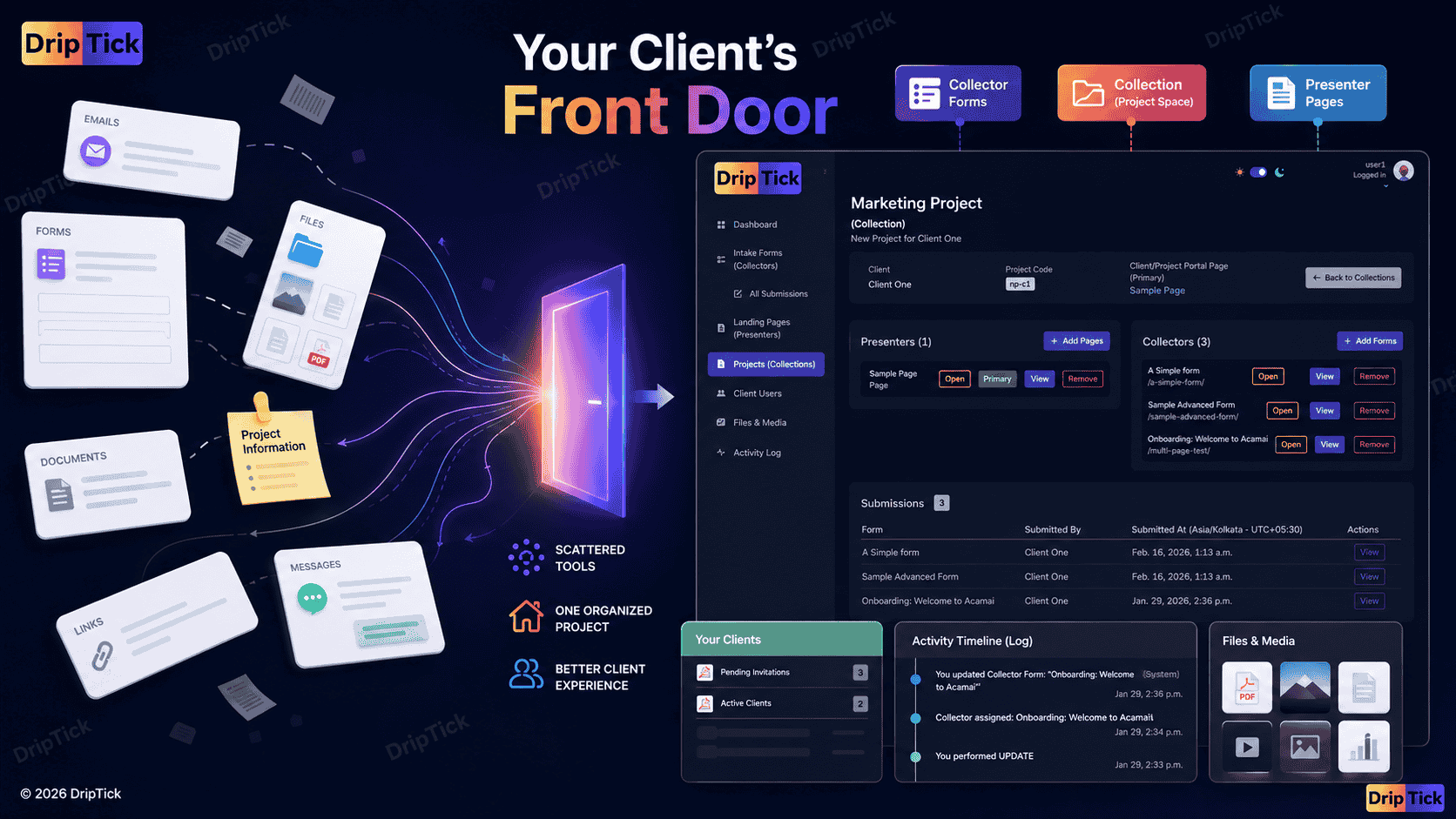
This is the problem that sits behind DripTick's broader approach.
DripTick isn't built around the idea that you should throw away every tool your business already uses.
Instead, it gives you building blocks for creating a more coherent client-facing experience around each engagement.
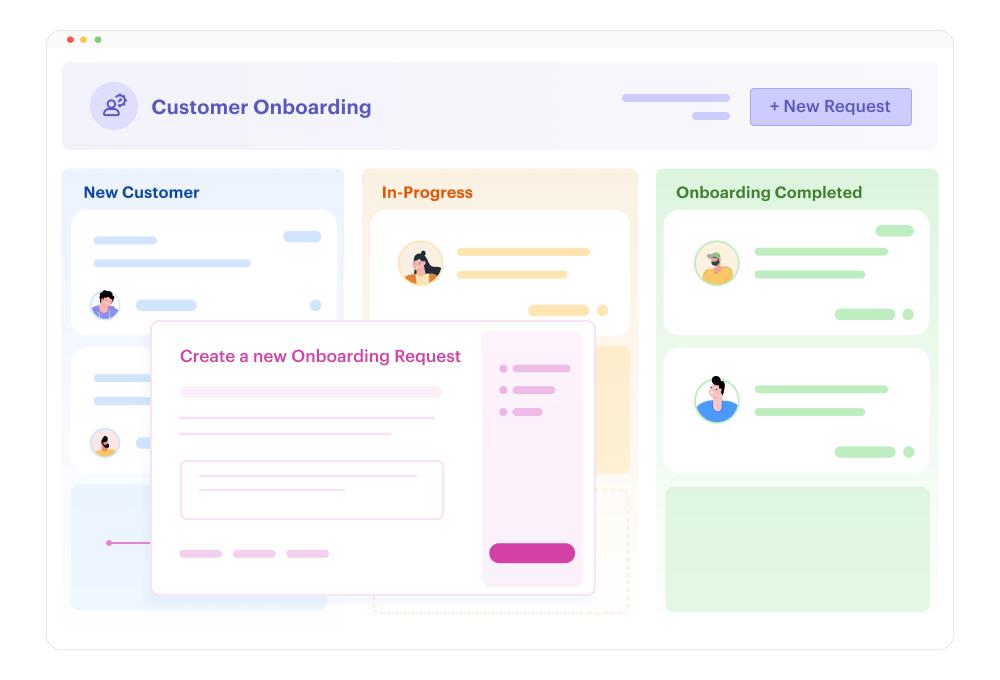
Collection
Your client/project workspace.
A place to organize the engagement and the relevant client-facing elements around it.
Collector
Your structured information-collection layer.
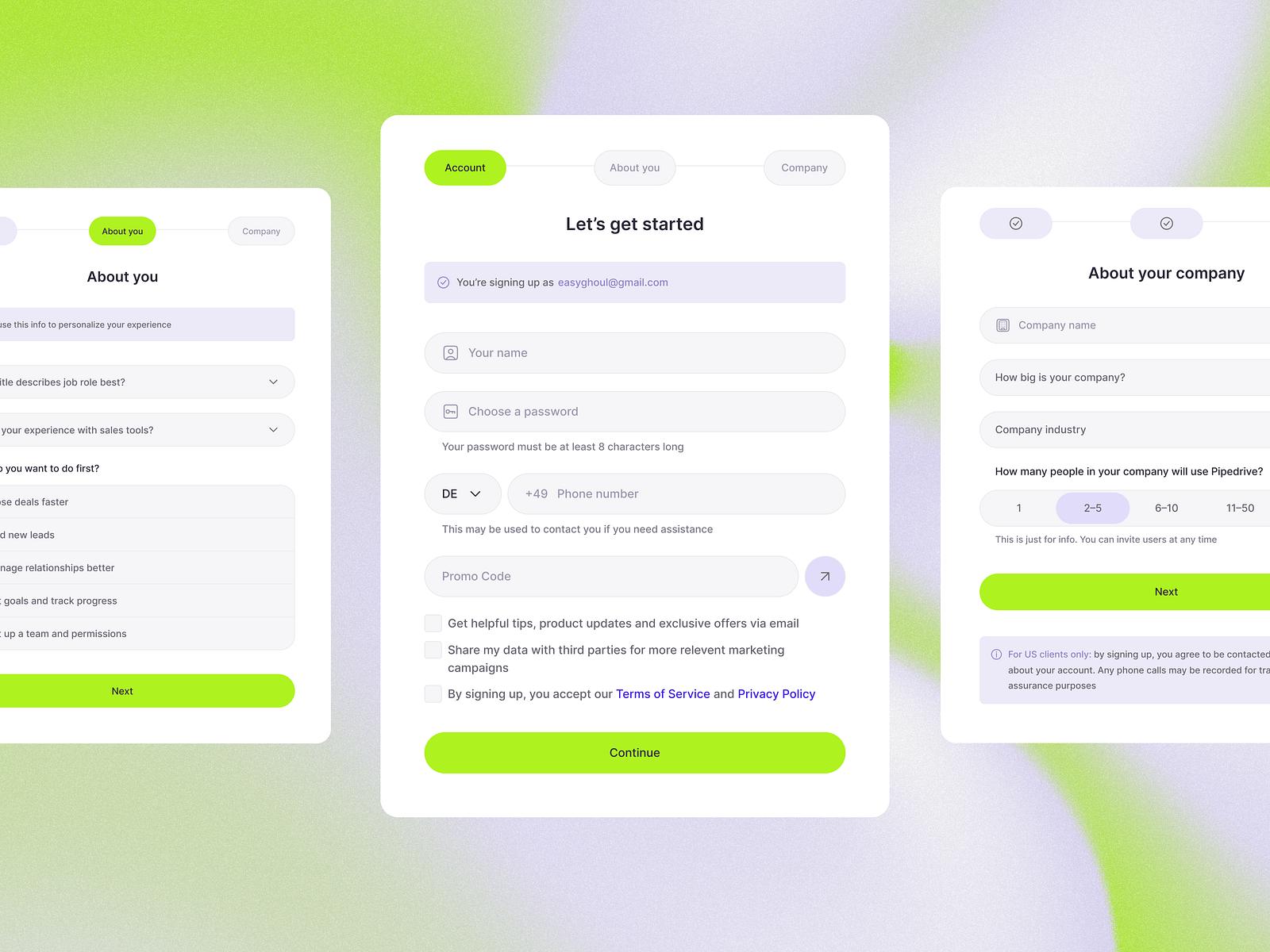
Use it when you need clients to provide information, complete onboarding, submit requirements or upload relevant material.
Presenter
Your client-facing page layer.
Use it when the client needs to see, understand or interact with information rather than simply submit it.
That distinction matters.
Some interactions are:
"Tell me something."
That's Collector.
Others are:
"Here's something you need to see or interact with."
That's Presenter.
And the project that brings those experiences together is:
Collection.
One client. One engagement. Multiple interactions.
Imagine a new website client.
You might create:
Collection
Acme Website Redesign
Inside:
Presenter
Welcome to Your Website Project
A branded introduction and explanation of the process.
Collector
Website Discovery
The client provides goals, audience and requirements.
Collector
Content & Asset Collection
The client provides files and materials.
Presenter
Project Overview
The client can reference the timeline, process and relevant information.
Activity
The engagement has a record of relevant project activity.
Email still exists.
It can notify the client, through DripTick or otherwise:
Your website project has been updated.
But the email isn't the project.
The project has a home.
That's the real difference between email and a client portal
It's not:
Email = bad
and:
Portal = good.
It's:
Email is a communication channel.
versus:
A client portal is a place for the ongoing client relationship to have context.
Once you see the distinction, you don't have to choose one.
You can use both.
Use email when communication is the point.
Use the client space when the project itself is the point.
When should you make the switch?
If you're currently managing clients entirely through email, don't ask:
"Should I stop using email?"
Ask:
"Which parts of my client process should no longer depend on searching my inbox?"
Start there.
Maybe it's:
- onboarding
- forms
- files
- project information
- approvals
- resources
- status
Move those pieces into a structured client experience.
Keep email for what email does best.
That gives you the benefits of a portal without creating unnecessary friction.
Final checklist: Are you ready for a client portal?
You probably are if several of these sound familiar:
I frequently resend the same links.
Clients ask where information is.
Project files are spread across multiple places.
Feedback is getting lost in email.
Multiple people are involved in client projects.
Clients regularly ask for status updates.
I repeatedly explain the same onboarding process.
I use the same forms for multiple clients.
I want a more professional client-facing experience.
I want each client/project to have a clear home.
I want to reduce unnecessary email back-and-forth.
I want to standardize the experience without making every project identical.
If you checked several boxes, the question probably isn't:
"Do I need more software?"
It's:
"How should my client experience be organized?"
The goal isn't fewer emails
This is worth ending on.
A client portal isn't successful because your inbox suddenly has 40% fewer messages.
It is successful when the right information is in the right place.
The client knows:
Where to go.
What to do.
What's happening.
Where to find things.
How to provide information.
What happens next.
And you no longer need to reconstruct the entire project every time someone asks:
"Can you send me that again?"
That's the real value of a client portal.
Give every client engagement a place of its own
If your client relationships are currently spread across emails, forms, files and disconnected links, you don't necessarily need to replace all of those tools.
You need to give the engagement itself a home.
That's the idea behind DripTick.
Collection gives you a structured client/project workspace.
Collector lets you collect the information you need through forms.
Presenter lets you create the client-facing pages and interactive experiences around the work.
Together, they give you a way to move from:
"Here's another link."
to:
"Here's your project."
Build a better client portal experience with DripTick.
Bring structured forms, client-facing pages and project workspaces and communications together in one place. Move over EMails and bring context to your conversations.
Start free with DripTick.