 DripTick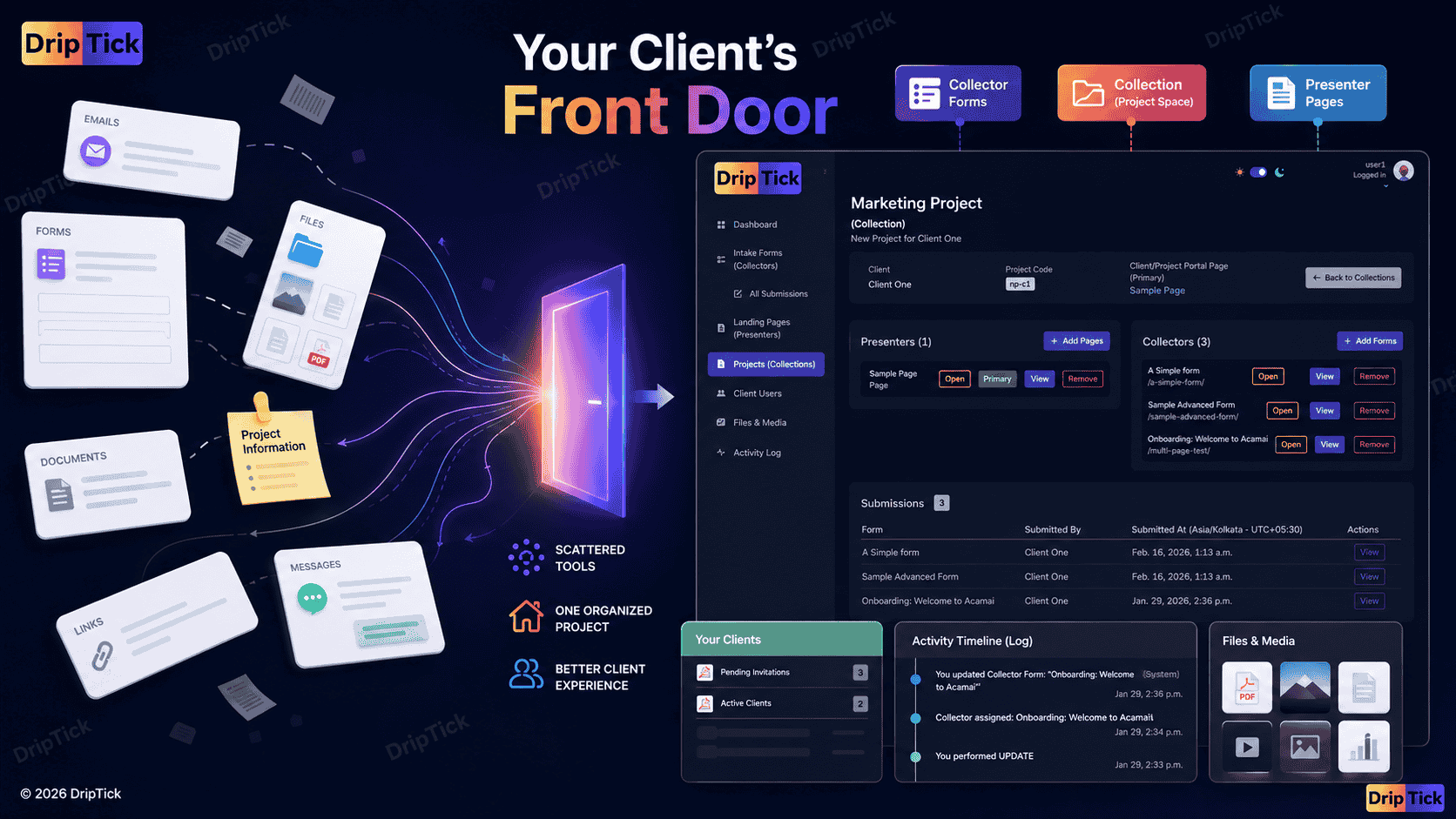
At some point, almost every professional, or agency reaches the same problem.
You have a client.
Then you have:
- an email thread
- a Google Drive folder
- a few documents
- a form
- a project-management tool
- a meeting link
- perhaps a spreadsheet
- and several messages asking where something is.
Everything technically exists.
But the client doesn't necessarily experience it as a coherent process.
They experience it as six different places they have to remember.
That's where the idea of a client portal comes in.
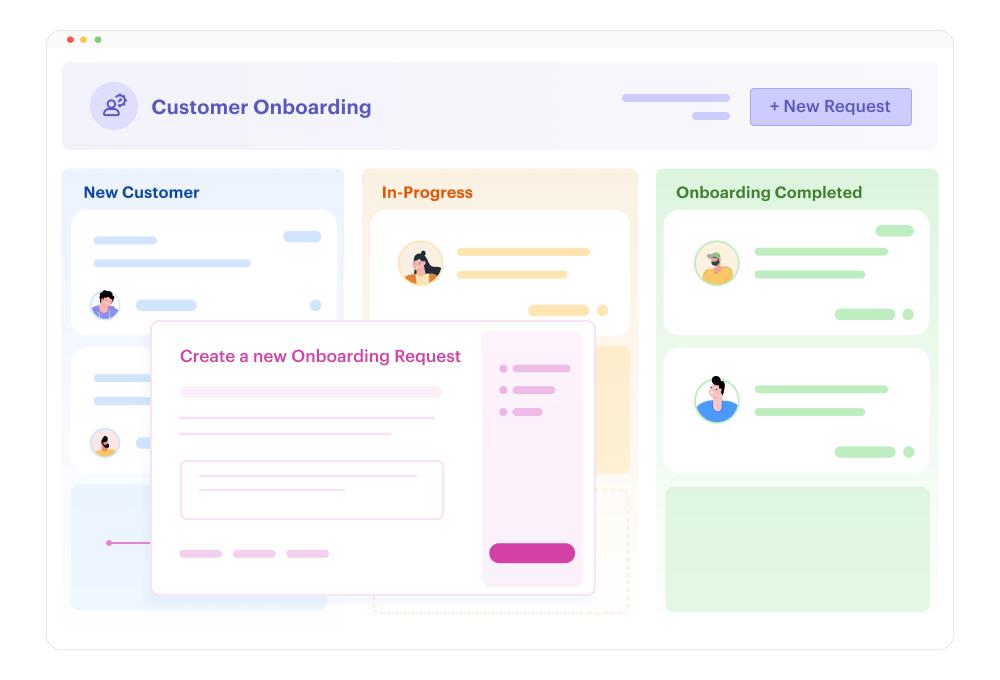
A client portal gives a client a dedicated place to interact with your business and access the information relevant to their engagement.
But there's an important misconception about client portals.
A portal doesn't necessarily need to replace every other tool you use.
It doesn't have to become your CRM, accounting system, project-management platform, file storage system, communication app and billing platform all at once.
For many service businesses, its most valuable job is much simpler:
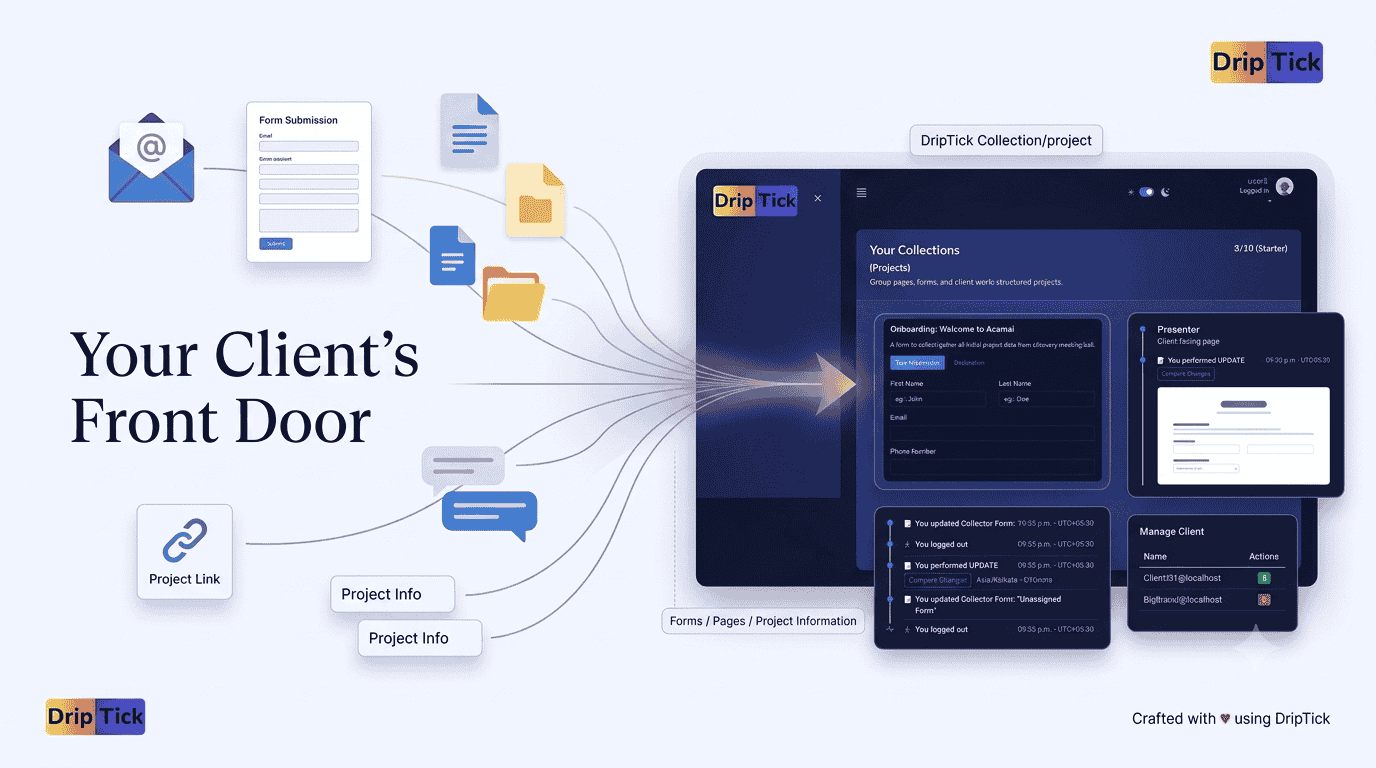
Give the client one clear front door to their relationship with you.
What is a client portal?
A client portal is a private, client-facing space where a business can provide clients with information, resources, project-related interactions and access relevant to their engagement.
Depending on the software, a client portal might include:
- project information
- forms
- files
- messages
- tasks
- approvals
- invoices
- contracts
- reports
- project status
- resources
- support requests
Different products define the category differently.
Some are essentially document and file portals.
Others are complete client-management systems with CRM, billing, contracts, time tracking and project management.
Current 2026 client-portal products span all of these approaches, from lightweight freelancer portals to much broader agency operating systems.
But the common idea is:
The client gets a dedicated place to interact with the work instead of relying entirely on scattered communication.
What problem does a client portal actually solve?
The easiest way to understand a client portal is to look at what happens without one.
Imagine you're a freelance designer.
Your client receives:
Email #1
"Welcome! Here's what happens next."
Email #2
"Here's the questionnaire."
Email #3
"Please send your logo."
Email #4
"Here's the first design."
Email #5
"Please send feedback."
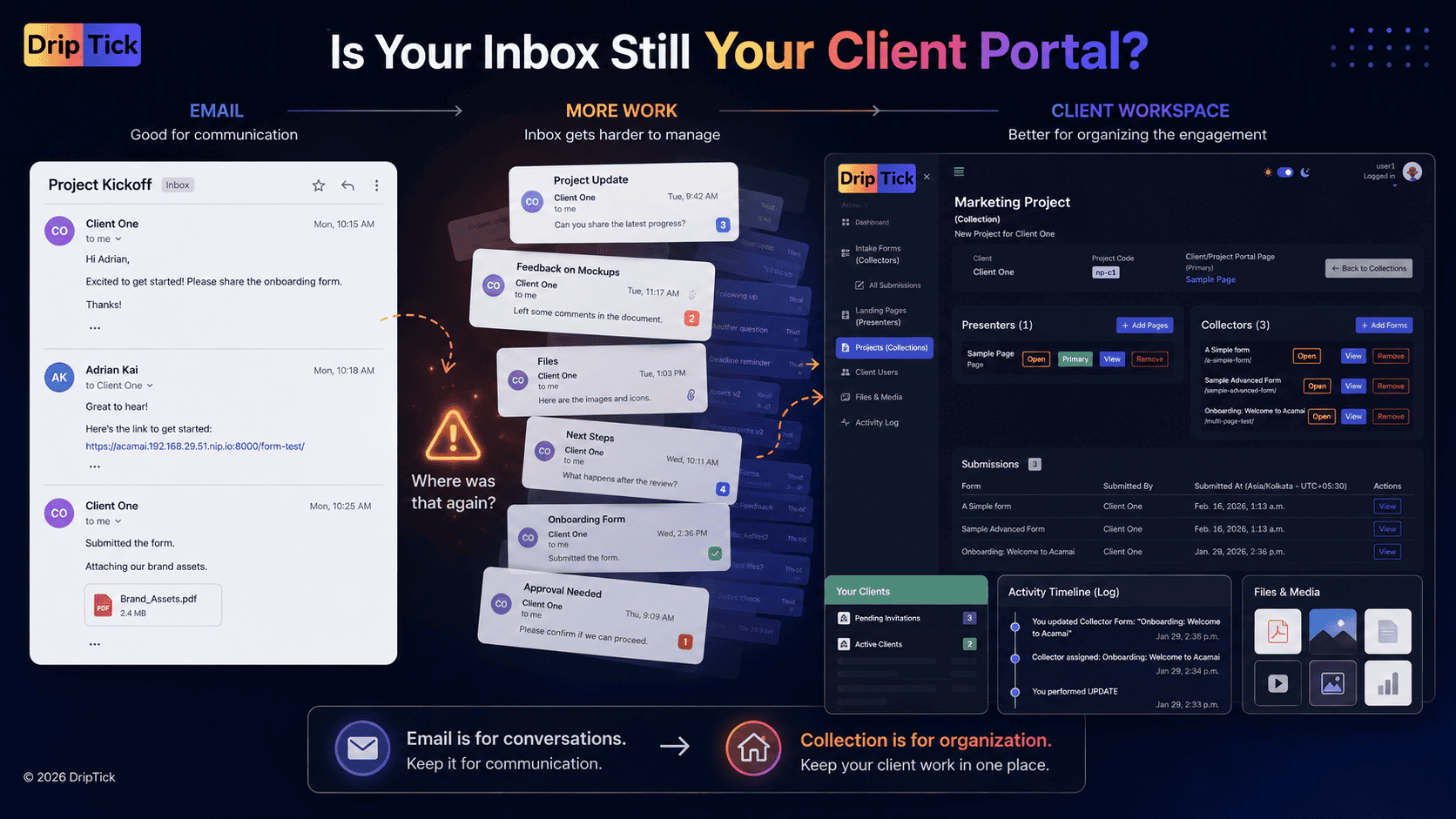
Then the client asks:
"Where can I find the original project information?"
You search your email.
Then:
"Where did we upload the files?"
You search Google Drive.
Then:
"What was the deadline again?"
You search another email.
None of the individual tools are necessarily bad.
The problem is the experience between them.
A client portal tries to create a more coherent layer around the engagement.
Instead of:
Email + Drive + Forms + Documents + Messages
the client has:
Their project.
A client portal is a front door—not necessarily the whole house
This distinction is important.
Your internal business might still use:
- accounting software
- project-management software
- cloud storage
- CRM
- calendars
- development tools
That's perfectly fine.
Your client doesn't necessarily need access to all of them.
In fact, giving clients access to your internal project-management system can sometimes make the experience worse.
Internal project-management software is designed around how your team works.
A client portal is designed around how your client interacts with you.
That is why the two shouldn't automatically be treated as the same thing.
Client portal vs. project management software
This is one of the most common questions around client portals.
Project management software
A project-management system is primarily designed to help your team do the work.
It might contain:
- internal tasks
- assignments
- deadlines
- dependencies
- internal discussions
- workload information
- project planning
- team notes
Its natural question is:
"What does our team need to do?"
Client portal
A client portal is primarily designed around:
"What does this client need to see, provide, review or do?"
It might contain:
- project information
- client forms
- requested files
- deliverables
- approvals
- resources
- updates
- client-facing pages
- relevant project activity
Its natural question is:
"What does the client need to experience?"
Current comparison content (across the internet) increasingly makes exactly this distinction: project-management software is generally internal-facing, while portals are designed around the client-facing workflow.
Do you need both?
Possibly.
For example:
Your team
uses a project-management tool to manage:
- tasks
- assignments
- deadlines
- internal discussions
Your client
uses a client portal to:
- provide information
- access project resources
- review work
- submit requests
- see relevant updates
You can connect the two conceptually without exposing your entire internal workflow to the client.
This can be especially useful when your internal process is considerably more complicated than what the client actually needs to see.
When does a freelancer/professional need a client portal?
Not every freelancer/professional needs one.
If you're completing a $100 one-off task with minimal communication, setting up a dedicated portal may be unnecessary.
But a portal becomes more useful when:
- you manage multiple active clients
- projects involve several stages
- clients regularly need to provide information
- you exchange files frequently
- clients need to review or approve work
- you have recurring engagements
- you repeatedly onboard similar clients
- you want a more professional client experience
- important project information is currently scattered across email
A useful rule is:
The more often your client needs to interact with the process, the more valuable a dedicated client space becomes.
When does an agency need a client portal?
The case can become even stronger for agencies.
An agency may have:
- multiple clients
- multiple projects per client
- multiple stakeholders
- recurring deliverables
- approval cycles
- forms
- reports
- assets
- recurring requests
The number of communication points grows quickly.
And once several people are involved, "just use email" becomes increasingly difficult to manage.
Current agency-focused portal research emphasizes exactly these problems: scattered approvals, files, status questions and communication across email, Slack and other systems.
A portal can provide a consistent client-facing layer without requiring the agency to expose its entire internal operating system.
What should a client portal contain?
There's no universal checklist.
The right portal depends on what your clients actually need.
But there are several common building blocks.
1. Client information
The client should be able to see the information relevant to their relationship with you.
For example:
- company information
- contact information
- project details
- important dates
- assigned team members
- relevant resources
2. Project information
Give the client context.
For example:
Project
New Website
Status
Discovery
Next step
Complete content questionnaire
Target launch
October 15
The exact presentation doesn't matter as much as the principle:
The client should know where they are and what happens next.
3. Forms
This is an important part of a modern client portal.
A client may need to:
- complete onboarding
- provide project requirements
- submit feedback
- request a service
- provide additional information
- approve something
- upload assets
Instead of sending each form as a separate link in an email, the relevant forms can become part of the client's project experience.
That's particularly useful when the same types of forms are repeatedly used across engagements.
4. Client-facing pages
Not everything needs to be a form.
Sometimes the client simply needs information.
For example:
Welcome
"Welcome to your project."
Project overview
"Here's what we're doing."
Getting started
"Here's what you need to provide."
Resources
"Here are the documents and links you'll need."
Reporting
"Here's how we're tracking progress."
A client portal can therefore contain pages, not just lists and files.
That's an increasingly interesting distinction on how DripTick approaches the client portal configurations.
5. Files and assets
Depending on your workflow, a client space may need access to:
- project documents
- brand assets
- deliverables
- reports
- reference material
- uploaded files
But again, the purpose isn't necessarily to become your replacement for every cloud-storage platform.
The question is:
What files does this client need to access as part of this engagement?
That's a much more useful question.
6. Communication
Some portals include:
- messaging
- comments
- notifications
- discussion threads
- support requests
These can be useful, particularly for ongoing relationships.
But communication doesn't necessarily have to happen entirely inside the portal.
If your business works well with email, you don't need to force every conversation into another messaging system.
The portal should make the relationship clearer, not more complicated.
7. Approvals and feedback
For creative and service businesses, this can be particularly valuable.
Clients may need to:
- review a design
- provide feedback
- approve a deliverable
- confirm a decision
- submit a revision request
The portal can become the place where those interactions happen in a structured way.
That is considerably better than:
"Looks good!"
buried inside a 47-message email thread.
8. Status and next steps
One of the simplest but most useful things a portal can do is answer:
"What's happening?"
A client shouldn't necessarily need a complete internal task board.
They may just need:
Current stage
Discovery
Completed
✓ Agreement
✓ Onboarding
✓ Assets
Next
Complete project questionnaire
After that
Kickoff
This is client-facing project visibility rather than internal project management.
What makes a client portal actually useful?
A portal can contain dozens of features and still be a bad portal.
The most important factor is client adoption.
Current 2026 portal comparisons (across the internet) repeatedly emphasize this: a portal that is powerful but difficult to use can create another layer of friction rather than removing it.
A good client portal should answer:
Where am I?
The client knows which project or engagement they're viewing.
What do I need to do?
The next action is obvious.
Where do I find things?
Information isn't hidden behind five different menus.
What's happening?
The client has enough visibility to avoid unnecessary status questions.
How do I communicate with you?
The expected communication path is clear.
What has already happened?
Important decisions and project activity aren't lost in an inbox.
If your portal doesn't answer these questions, adding another 20 features probably won't help.
Don't build a portal for the sake of having a portal
This deserves emphasis.
You don't need:
- a dashboard with twelve charts
- a complex task manager
- a CRM
- five messaging systems
- twenty widgets
- an enormous navigation menu
just because your software allows them.
Start with the client's actual journey.
For example:
New client
↓
Welcome
↓
Complete onboarding
↓
Provide assets
↓
Review project information
↓
Kickoff
↓
Review work
↓
Provide feedback
↓
Complete project
That's already a useful client experience.
The simplest useful client portal
For many professionals and freelancers, a useful portal could be as simple as:
Client
Jane Smith
Acme Design
Project
Website Redesign
Next step
Complete the Website Discovery Form
Pages
- Welcome
- Project Overview
- Resources
Forms
- Website Discovery
- Content Requirements
Activity
- Project started
- Discovery submitted
- Assets uploaded
That's enough to create a sense of place.
And that concept is important.
The client isn't simply receiving links.
They have somewhere their project lives.
What makes a client portal feel professional?
The difference isn't always functionality.
It's presentation.
A client portal can feel substantially more professional when it reflects the business providing the service.
That might include:
- business branding
- logo
- colours
- custom domain
- personalized client information
- clear navigation
- consistent terminology
- relevant project content
Instead of:
"Go to this third-party website and find your project."
the client experiences:
"This is our project space."
What about a DIY client portal?
You can absolutely build one yourself.
For example, people use:
- Notion
- Airtable
- Google Drive
- shared documents
- spreadsheets
- website builders
These can work.
In fact, DIY tools can be perfectly reasonable when the workflow is simple.
The problem usually appears as the number of clients and interactions increases.
You start creating:
- one template
- another client view
- another filtered database
- another folder
- another form
- another permission configuration
Eventually you're maintaining the portal rather than delivering the service.
That's when dedicated client-portal software becomes more attractive.
Client portal vs. a collection of links
There's another subtle distinction.
You can create a page containing:
FormGoogle DriveCalendarContractProject boardContact email
and call it a client portal.
Technically, it might function that way.
But a good client portal should provide context.
Instead of:
Form
say:
Project DiscoveryTell us about your goals, audience and requirements before the kickoff.
Instead of:
Files
say:
Project AssetsUpload the brand files and content we'll need to begin.
Instead of:
Calendar
say:
Schedule your kickoffChoose a time that works for your team.
The difference is small.
The second version tells the client why the thing exists.
A client portal should reflect the client's journey
This is perhaps the most useful way to design one.
Don't start with:
"What features does my portal software have?"
Start with:
"What does my client need to accomplish?"
For example:
Stage 1 — Getting started
Client needs to understand the project.
Give them:
- Welcome
- Project overview
- Next steps
Stage 2 — Providing information
Client needs to give you information.
Give them:
- Onboarding form
- Discovery questionnaire
- File upload
Stage 3 — Working together
Client needs visibility.
Give them:
- Project information
- Relevant updates
- Resources
Stage 4 — Reviewing
Client needs to respond.
Give them:
- Deliverables
- Feedback form
- Approval
Stage 5 — Ongoing relationship
Client needs continued access.
Give them:
- Resources
- Reports
- Requests
- Relevant project information
Now you've designed a portal around outcomes, not features.
How client portals fit into onboarding
A client portal becomes the place which connects Premium Client Onboarding (The Thought strategy), Client Onboarding Checklist (The Implementation Strategy), and Client Onboarding Forms (The Action Strategy).
Think of it as:
Onboarding strategy
↓
Checklist
↓
Forms
↓
Client space (Portal)
The form collects the information.
The portal gives the client somewhere to interact with the process.
The project workspace organizes the engagement behind it.
That's a much more complete model.
Where DripTick's Collection fits
This is where we need to be precise about terminology.
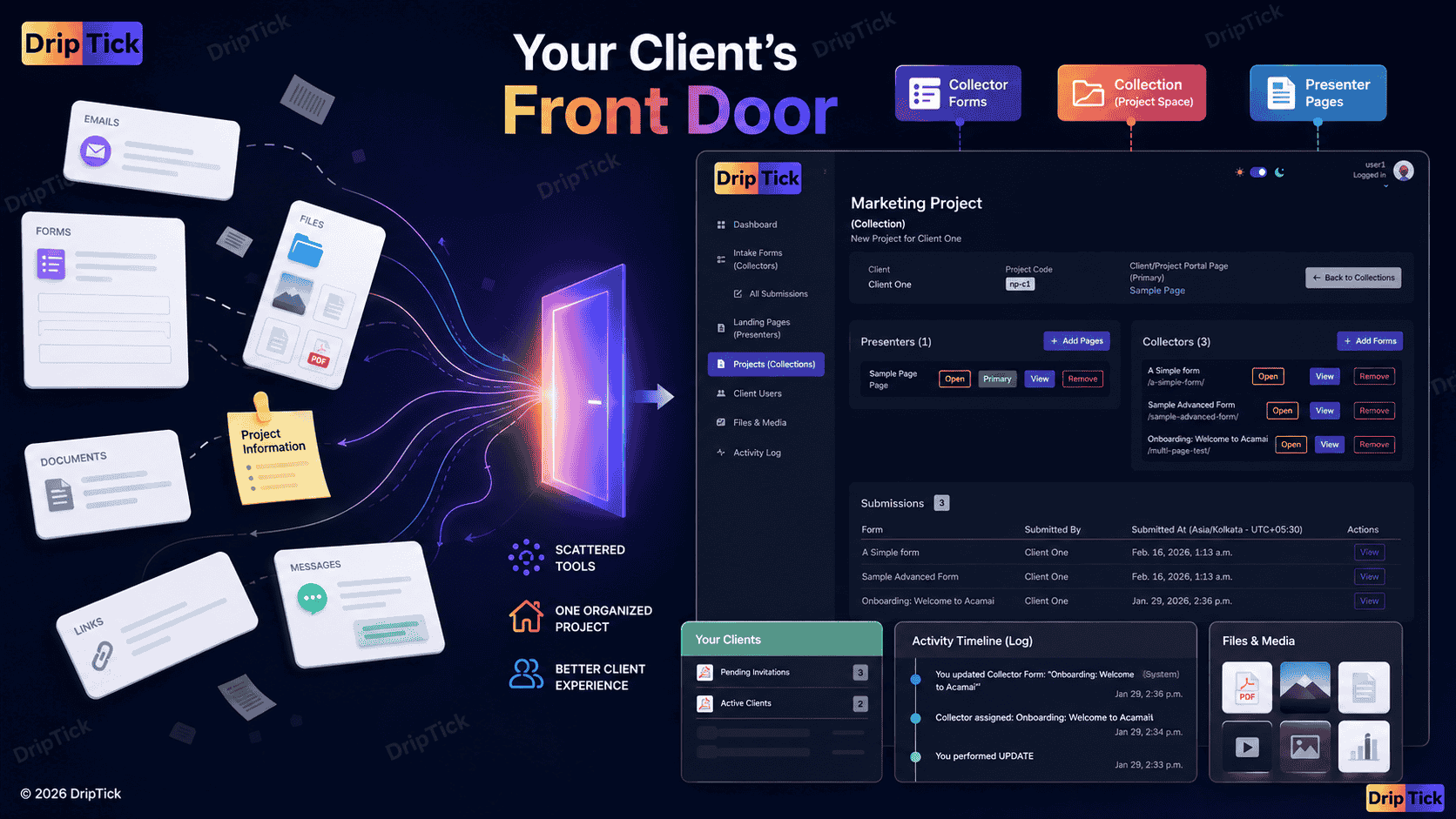
Collection is DripTick's project/client workspace.
It isn't intended to be a replacement for every project-management, accounting or CRM application.
Its purpose is to bring the relevant parts of a client engagement together.
For example, a client project can have:
The client
The person or business you're working with.
Presenters
Client-facing pages relevant to that project.
Collectors
Forms the client needs to complete.
Submissions
Information the client has provided through those forms.
Activity
Relevant project activity.
So instead of thinking:
"Collection is another project-management tool."
think:
"Collection is the organized space around the client engagement."
That's a more accurate description of what we're building.
And it's also where DripTick starts to differentiate itself from a standalone form builder or landing-page builder.
One client. One project. Multiple experiences.
Imagine you're a freelance web designer working with a new client.
You create a Collection called:
Acme Website Redesign
Inside it, you might have:
Presenter
Welcome to Your Website Project
A branded page explaining the process.
Collector
Website Discovery
A structured onboarding form.
Collector
Content & Asset Collection
A second form for files and information.
Presenter
Project Overview
A client-facing page containing the timeline and important information.
Collection activity
The project records relevant activity around the engagement.
The client isn't being asked to understand how each piece was built.
They simply have a place for the project.
That's the experience we're trying to create.
A client portal doesn't have to replace your existing tools
This is another important point for small businesses.
You may already have a system for:
- accounting
- invoicing
- internal project management
- calendars
- file storage
You don't necessarily need to throw those away.
A client-facing workspace can sit around your existing operations.
Your internal team can continue using the tools that help them work.
The client gets a simpler experience focused on what they actually need.
That distinction can be particularly valuable for freelance professionals and small agencies that don't want to migrate their entire business into one enormous platform.
When you probably don't need a client portal
A good guide should tell you when not to buy something.
You probably don't need a dedicated portal if:
- your projects are extremely short
- clients rarely need to provide information
- there's very little back-and-forth
- you're handling only one or two clients
- email already works perfectly
- there's almost nothing for clients to access
- setting up a portal would take more time than it saves
There's no prize for having the most software.
The portal should solve a real problem.
When you probably do need one
Consider one when:
- clients repeatedly ask where information is
- you're constantly resending links
- onboarding involves several forms
- projects involve multiple stakeholders
- you're managing many simultaneous engagements
- you need clients to provide files or information
- approvals are getting lost in email
- clients regularly ask for status updates
- you want a consistent branded experience
- you're tired of rebuilding the same client process
In other words:
When the relationship has become more complicated than a few emails can comfortably handle.
A practical client portal checklist
Before choosing or building a portal, ask:
Client experience
Does the client know where to go?
Is the interface easy to understand?
Is the next action obvious?
Can clients find important information without asking?
Project
Can the client see relevant project information?
Can you organize different client engagements separately?
Can you provide relevant pages and resources?
Information collection
Can clients complete forms?
Can you collect the information required for the project?
Can you handle different types of client workflows?
Communication
Is the communication process clear?
Can clients provide feedback or requests where appropriate?
Are important interactions easy to find?
Branding
Can the experience reflect your business?
Can you remove unnecessary third-party branding?
Can you use your own domain if that's important to your business?
Practicality
Is it easy to set up?
Is it easy to repeat for new clients?
Will your clients actually use it?
Does it solve a problem you currently have?
Don't choose a client portal by feature count
This is one of the biggest conclusions from looking at the current 2026 market.
The portal landscape is increasingly crowded with "all-in-one" products.
You'll find platforms combining:
- CRM
- forms
- proposals
- contracts
- invoices
- payments
- project management
- time tracking
- messaging
- file storage
- automation
- reporting
And for some businesses, that's exactly what they want.
But more isn't automatically better.
The right question is:
What part of the client experience am I actually trying to improve?
If your biggest problem is:
"Clients can't find anything."
You need organization.
If it's:
"Clients keep sending information through email."
You need structured intake.
If it's:
"Clients don't know what's happening."
You need visibility.
If it's:
"Our client experience looks fragmented."
You need a coherent client-facing layer.
If it's:
"We're spending hours every month chasing clients."
You need a repeatable workflow.
Start with the problem.
Then choose the software.
The best client portal is the one clients actually use
This sounds obvious.
But it's worth saying.
A portal doesn't improve the client experience simply because you've created an account for the client.
It improves the experience when the client actually finds it useful.
That means:
Don't make clients hunt.
Don't make clients learn your internal workflow.
Don't expose information they don't need.
Don't create another inbox they have to monitor.
Don't make every interaction more complicated just because your software supports it.
Give them a simple, relevant place to interact with the engagement.
Your client portal is part of your service
Think about the difference between these two experiences.
Experience A
"I'll email you the form."
"Here's the Drive folder."
"I'll send the project details separately."
"Check your email for the latest update."
Experience B
Your Project
WelcomeProject informationComplete onboardingUpload assetsReview updatesAccess resources
The underlying work could be identical.
But the second experience feels more intentional.
And clients notice that.
Your portal isn't just software.
It's part of how your business delivers its service.
Build the client experience around the project
A good client portal shouldn't feel like a generic dashboard that happens to contain a client's name.
It should feel relevant to the engagement.
For one client:
Website Redesign
might contain:
- Discovery
- Brand assets
- Content
- Project overview
- Review
For another:
Marketing Retainer
might contain:
- Campaign brief
- Content approvals
- Reports
- Requests
- Resources
For a coach:
Coaching Program
might contain:
- Welcome
- Intake
- Resources
- Session information
- Progress-related material
The underlying system can be the same.
The client experience can be different.
That's what makes a portal useful.
From portal to client experience platform
This is where the category gets interesting.
A portal by itself is relatively straightforward:
Give clients somewhere to log in.
But the more useful question is:
What can the client actually experience there?
If that space can contain:
- structured intake
- interactive pages
- project information
- resources
- submissions
- activities
- branded experiences
then the portal becomes more than a document repository.
It becomes a client experience layer around the work.
A better way to think about client portals
Don't ask:
"Do I need a client portal?"
Ask:
"Does my client currently have a clear place to interact with our work?"
If the answer is no, look at where the friction exists.
Are they:
- searching emails?
- asking for links?
- sending information in random formats?
- missing deadlines?
- asking what happens next?
- unsure where to provide feedback?
- unable to find project information?
Those are signals that the client relationship may need a better structure.
And you don't necessarily need a giant all-in-one system to fix it.
You need a clear front door.
Start with one client
If you're unsure whether a client portal is worthwhile, don't redesign your entire business overnight.
Choose one client.
Choose one project.
Ask:
What does this client need from me repeatedly?
Then create a simple client space around that.
Maybe it contains:
- one welcome page
- one onboarding form
- one project-information page
- one resource area
See what happens.
If the client uses it and you stop sending the same five links over and over, you've learned something useful.
Then improve the system.
The goal isn't to move everything into one tool
It's to make the client's experience make sense.
That's the distinction.
You can have the best project-management software in the world and still provide a confusing client experience.
You can have beautifully designed forms and still have a fragmented onboarding process.
You can have a shared drive full of perfectly organized files and still make the client hunt for them.
The missing piece is often the layer that connects those interactions from the client's point of view.
That's what a client portal can provide.
Build a better client-facing workspace
DripTick takes a slightly different approach to the client-portal problem.
Instead of trying to become your entire internal business operating system, DripTick gives you tools for creating and organizing the client-facing experience around your projects.
With Collection, you can organize a client/project engagement.
With Collector, you can give clients structured ways to provide information.
With Presenter, you can create branded pages and experiences for the client to interact with.
Together, those pieces let you build something more purposeful than a folder full of links.
You can create a client project experience.
And because DripTick also supports capabilities such as client management, custom domains and white-labeling, that experience can be made to feel like part of your business rather than another disconnected third-party service.
Your client doesn't need to see your entire business
They need to see their part of it.
That's the fundamental principle behind a good client portal.
Your team might have:
Tasks → tickets → internal notes → meetings → CRM → accounting → project management
Your client might only need:
Their project → what they need to do → what you've delivered → what's happening next
Those are different views of the same relationship.
A good client experience doesn't expose all of your complexity.
It absorbs it.
Final takeaway
A client portal isn't valuable because it gives your clients another login.
It's valuable when it removes the need for your clients to constantly ask:
"Where is that?"
"What do I need to do?"
"What's happening?"
"Where do I send this?"
"What's the latest version?"
"What's next?"
The best portal gives those questions somewhere to go.
And the best ones don't necessarily try to replace every tool your business uses.
They create a clear, organized front door to the client relationship.
If your current client experience is spread across email threads, forms, documents, shared folders and disconnected links, start there.
Map the client's journey.
Identify where they experience friction.
Then build a client space around the work they actually need to do.
That's the beginning of a better client experience.
Build your client experience with DripTick
Bring your client projects, forms and client-facing pages together.
Collection gives each client engagement a structured project space.
Collector helps you collect the information you need.
Presenter lets you create branded pages and interactive client experiences.
Instead of sending clients from one disconnected tool to another, create a clearer place for the work to live.
Build a better client portal experience with DripTick.
Bring structured forms, client-facing pages and project workspaces together in one place.
Start free with DripTick.